Kumaha Ngundeur Pidéo Facebook dina iPhone (Teu Dibutuhkeun Aplikasi)
Facebook Video Downloader
Diajar kumaha ngaunduh pidéo Facebook dina HD (format MP4) dina iPhone atanapi iPad anjeun - henteu peryogi aplikasi atanapi jailbreak. Gawéna dina: iPhone 16, 15, 14, 13, 12, 11 (Pro/Max), XR, XS, X, 8, 7, 6Ssareng seueur deui.
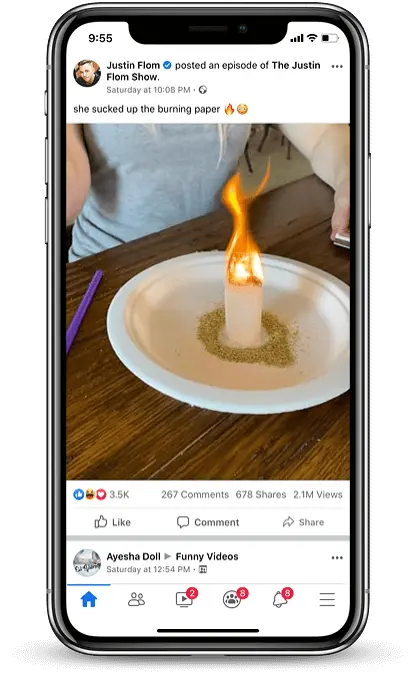
📱 Lengkah 1: Nyalin Tautan Pidéo Facebook
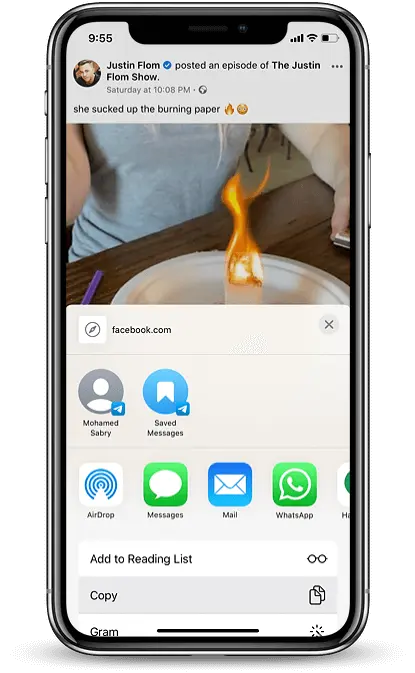
Buka aplikasi Facebook, ketok tilu titik ⋯ di pojok katuhu luhur postingan video, teras ketok "Salin Tautan".
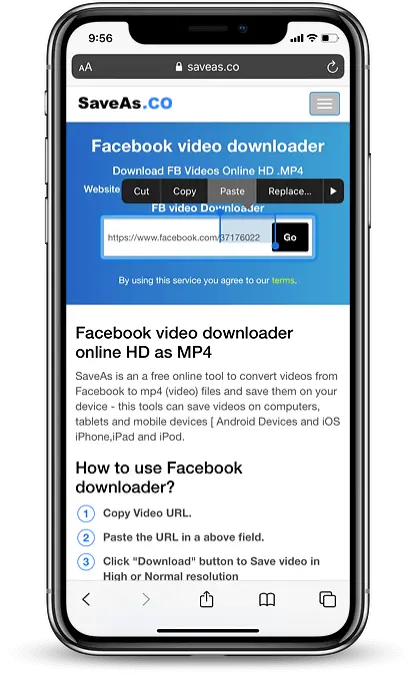
🌐 Lengkah 2: Buka facedownloader.net
Buka Safari terus buka facedownloader.net. Tempelkeun tautan tiron anjeun kana widang input teras ketok tombol Unduh.
🎬 Lengkah 3: Pilih Kualitas Video
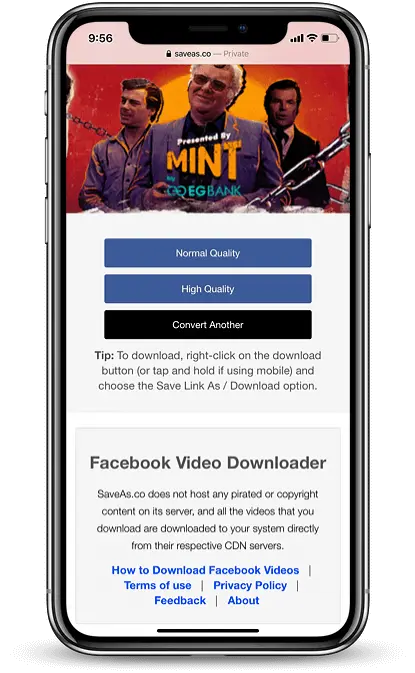
Saatos tautan diolah, pilih "Kualitas Normal" atanapi "Kualitas HD". Safari bakal ngamimitian ngaunduh pidéo.
📂 Lengkah 4: Simpen kana Poto
Ketok Unduh ikon Panah dina Safari, teras ketok file video. Pilih “Simpen ka Poto” pikeun nyimpen dina albeum iPhone anjeun.